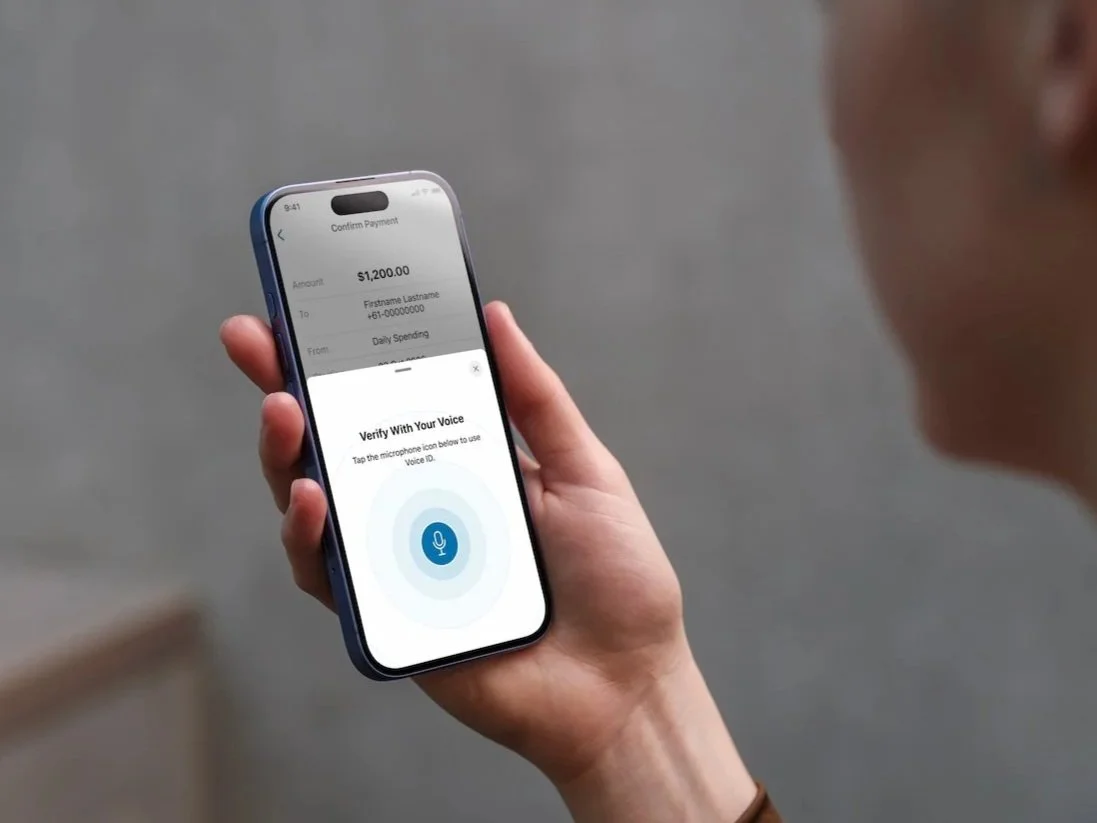
Voice Biometrics Verification
Behaviour Design for Voice ID, voice biometrics verification in ANZ App
Project status:
Product backlog
Role:
Product Design Lead
Collaborators:
Senior designer, content designer, design researcher, product manager, App engineering team
Platforms
iOS, Android
Voice ID is ANZ's voice biometric verification for the mobile app. Customers authenticate high-risk actions by speaking a passphrase. The product manager engaged our team to improve enrolment and verification success rates.
At a glance
3m+
App customers registered77%
Success rate (target 90%)15%
Rejection rate (target 5%)My role
I led UX analysis, developed the behavioural design strategy, created behavioural maps for both flows, and designed interventions for testing. I also co-designed the research plan and facilitated engineering walkthroughs.
The Challenge
Improving these rates means:
For customers: better protection and reduced financial loss.
For the bank: stronger funds protection, reduced complaints (half currently relate to customers saying the wrong phrase), and lower contact centre volume.
Why aren't the instructions working?
They don’t know what to say
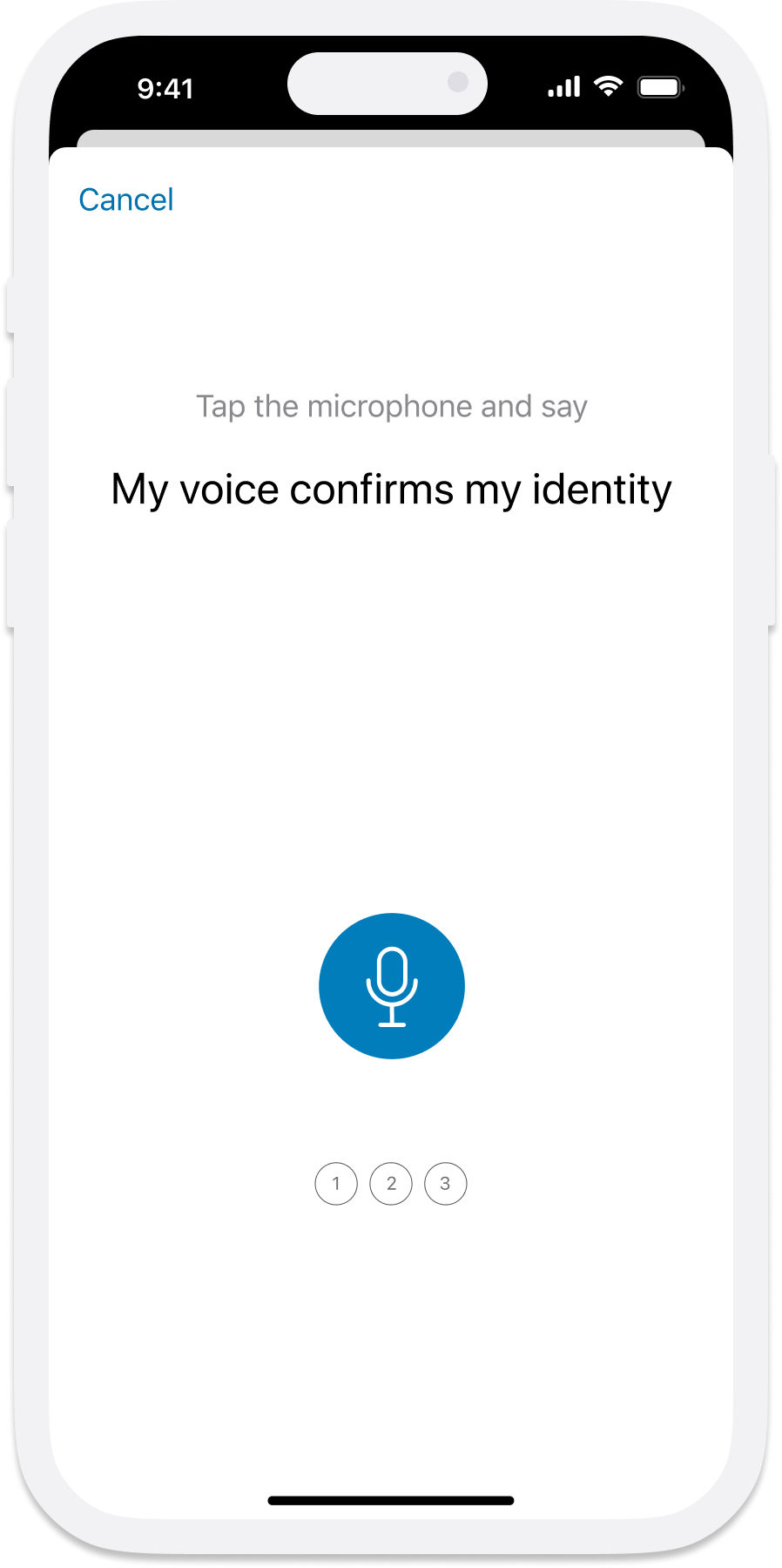
To verify, they need to say the passphrase “My voice confirms my identity”. Yet customers are either saying nothing, or the wrong phrase such as “Pay my transaction”, “Hello my name is”, or “Voice confirms identity”.
They say it more than once
For both flows, customers only need to say the passphrase once at each step. Customers repeat the phrase multiple times, triggering errors. Accents and volume can also cause failures, but repetition is the primary cause.
This wasn't a technology problem. It was a comprehension problem.
UX + Behaviour Design approach
There are clear instructions in the flow, so why are they not working?
I combined the UX review with behavioural design to cross-validate the analysis. UX analysis surfaces what to change on screen. Behavioural design reveals what's happening cognitively during the task.
I created behavioural maps for both registration and verification flows with cognitive steps and decisions screen by screen. A 10-screen registration flow alone required 23 cognitive steps.
And this becomes harder when customers are interrupted to register during the payment flow – 23 steps added to the existing 4 steps; or for customers who speak English as a second language. That gave me the idea to first slow down the flow.
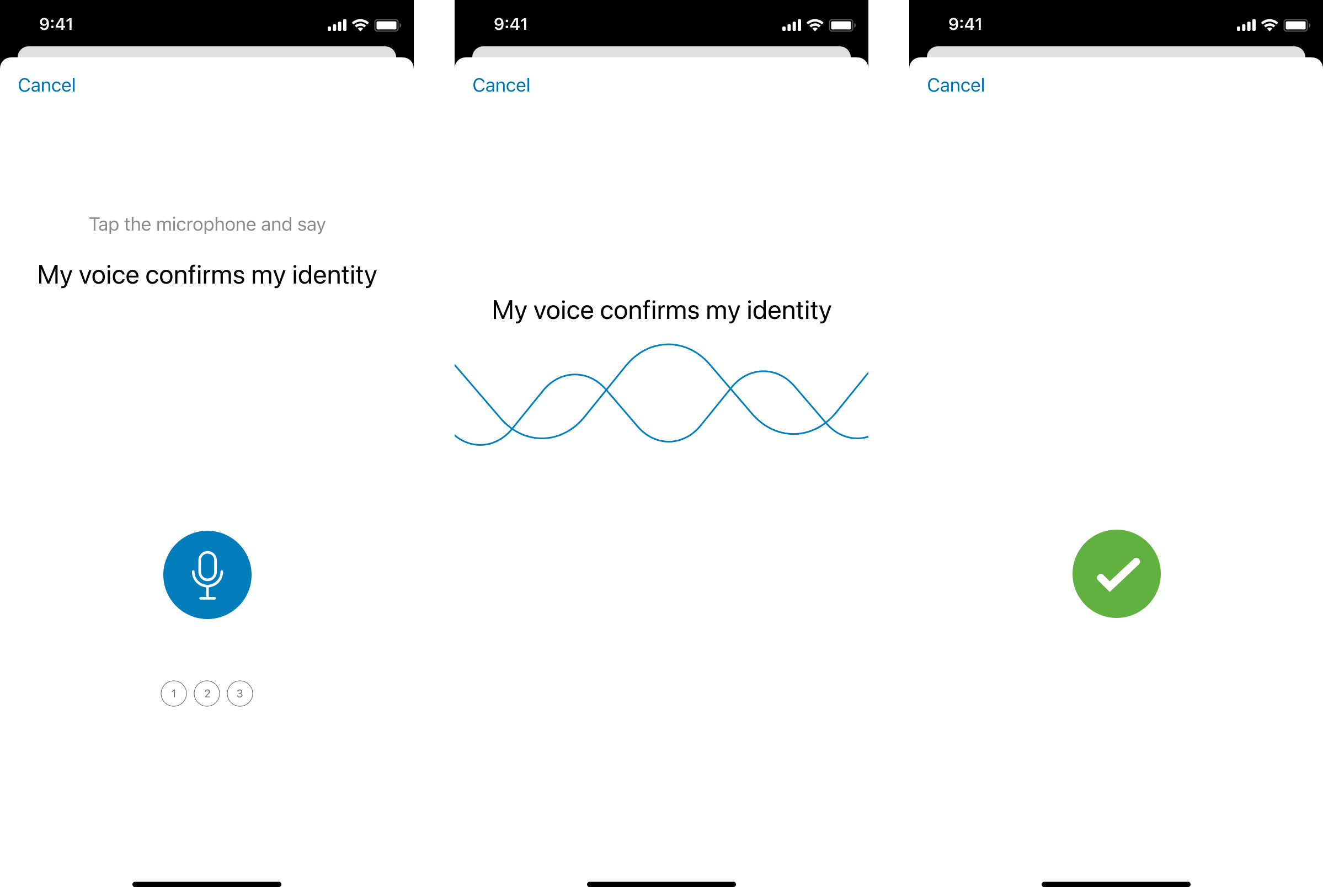
Behavioural mapping - an example
If we break down the three screen flow from the current experience.
Read first voice prompt instructions
Look for the microphone button
Tap the microphone button
Remember the action required on the next screen
Read the passphrase
Say the passphrase
Interventions
Registration flow
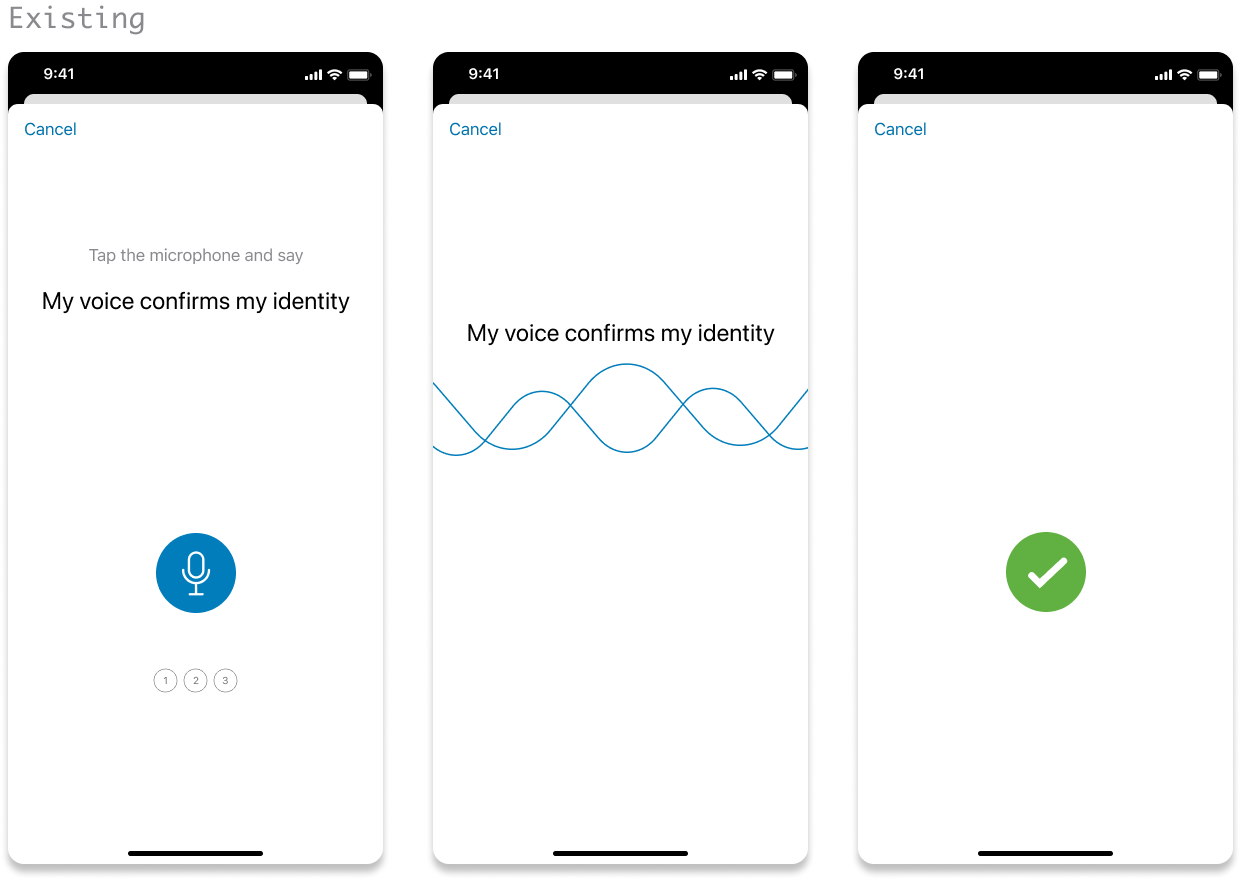
What I found
Instructions, passphrase, and microphone button compete with no clear hierarchy.
Cognitively, the button's prominence draws customers forward before they've absorbed the instructions.
Once they’re in the second screen, there is no call to action to say the phrase, only with the passphrase on screen, which causes confusion.
What I proposed and rationale
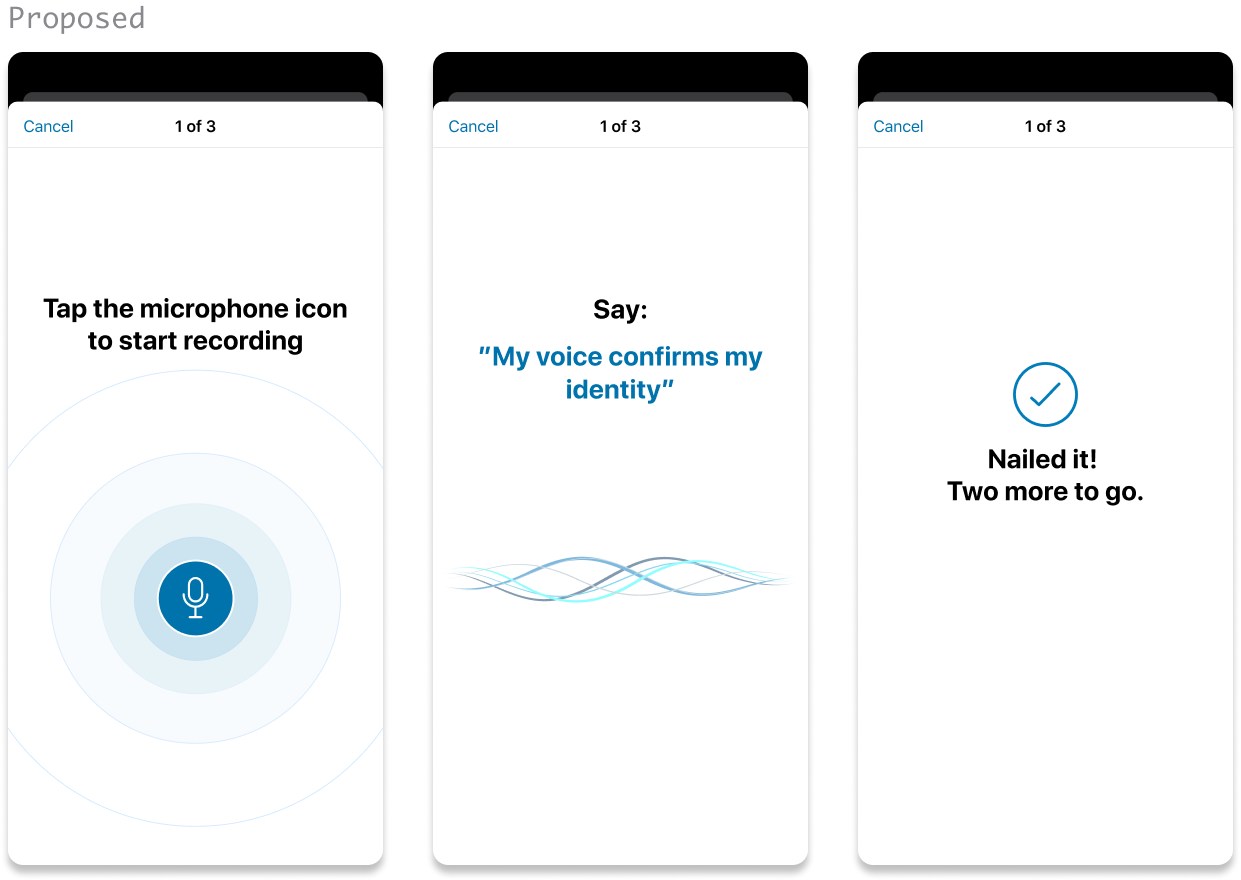
The core principle was deliberate friction. Split instructions across two screens to reduce cognitive load and to slow customers down.
Real-time word-by-word highlighting as the customer speaks, confirming they're on track.
Confirmation message — reassurance that their voice was captured, with steps remaining visible.
Verify flow
What I found
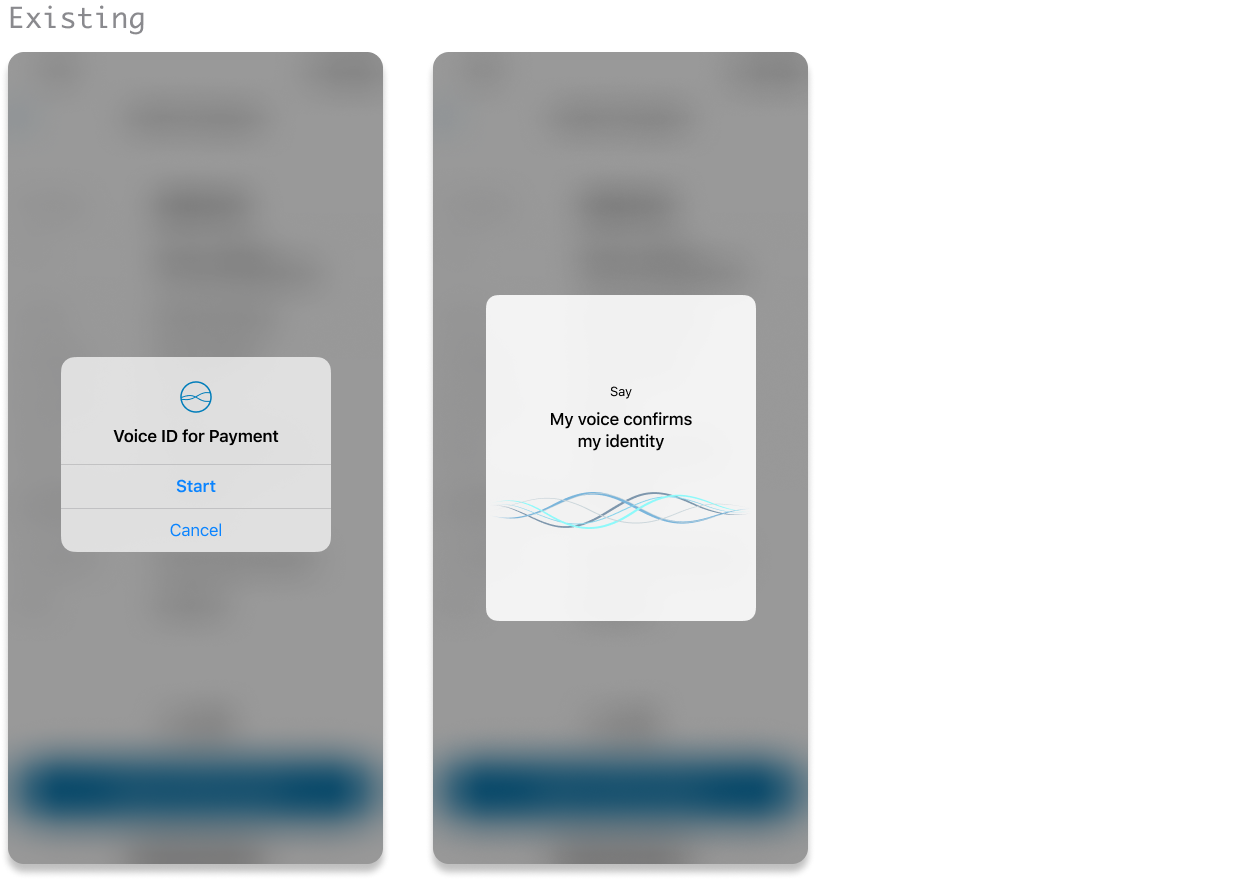
The verification prompt appears as an alert, which is easy for customers to dismiss rather than to prepare for. It also deviates from the registration experience.
Once in the verification screen we’re seeing the same hierachy problem. The call to action is small and hard to read.
Customers use this feature for large payments a few times a year. Accustomed to smaller payments without verification, they either dismiss the alert or forget how to use the feature altogether.
What I proposed and rationale
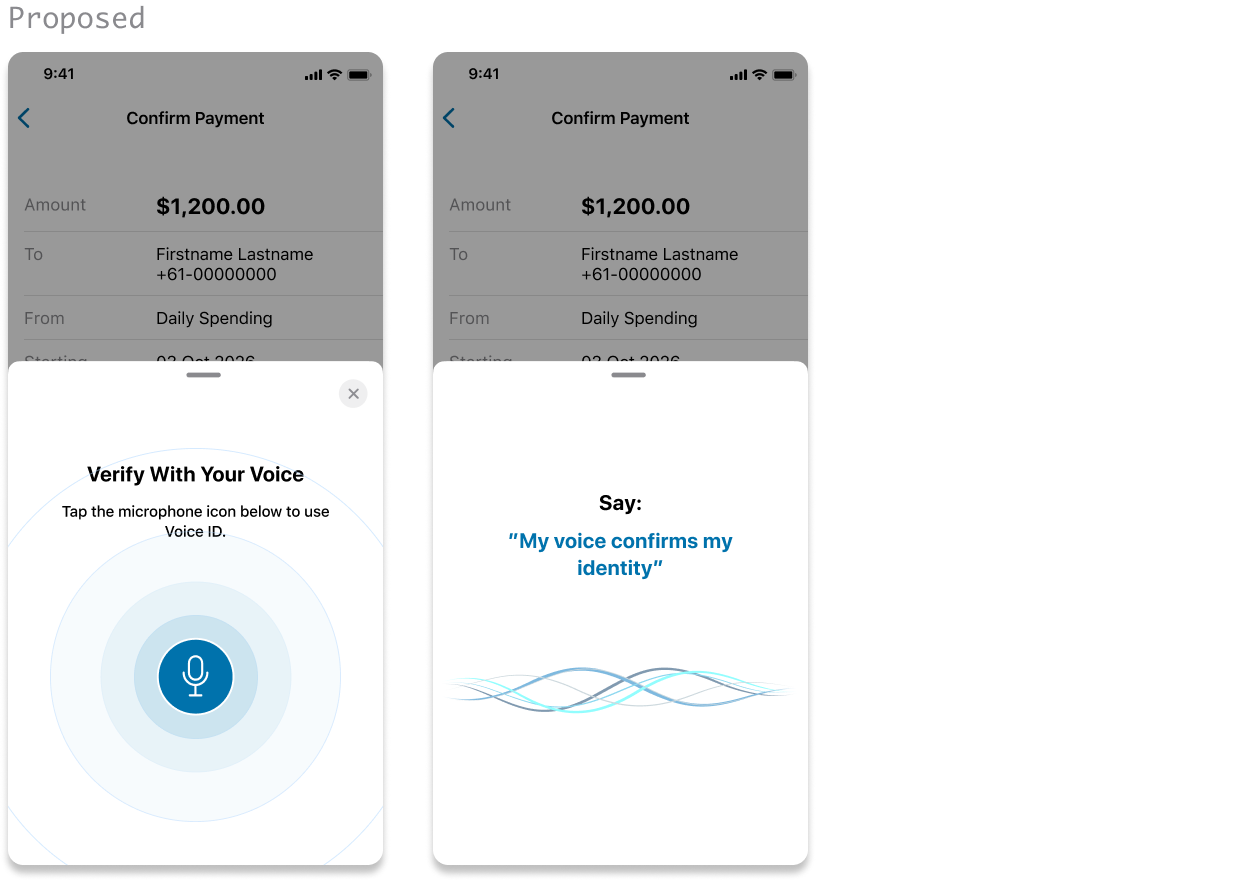
Deliberate friction again. I replaced the alert with a sheet component, which aligns with the latest iOS conventions and slows the flow.
Replicate the registration flow for a consistent experience – introducing the microphone button, apply the split instructions and real time confirmation during speech.
Update the verification header to clearly communicate the purpose of the interruption. I intentionally removed reference to payment as the product manager shared a view of extending this feature beyond payments within the app.
Testing
We tested both proposed and existing flows. Participants(n=8) included ANZ and non-ANZ customers, ESL speakers, and customers with low tech proficiency. Each completed enrollment and verification in both versions
The findings
What worked in the proposed design:
Word-by-word feedback boosted confidence - customers knew their voice was captured
The half-sheet slowed the flow and improved attention during verification
Consistency between enrollment and verification (which the original lacked)
What didn't work:
Splitting instructions across two screens backfired. Customers arrived at the recording screen less prepared, not more. Without full context on one screen, many said the wrong phrase or nothing at all.
Removing progress checkboxes created confusion about steps remaining.
My Takeaway
Ambiguity tolerance varies between tasks. What surprised me is how the split up of instructions backfired. For a task that's unfamiliar, infrequent, and high-stakes, customers needed the full picture in one place to feel prepared.
I assumed a confirmation at the end of the flow would be sufficient. But participants needed reassurance throughout — knowing where they were in the process, not just that they'd completed it.
Refined design
Working with the senior designer and content designer, we refined the design based on testing outcomes:
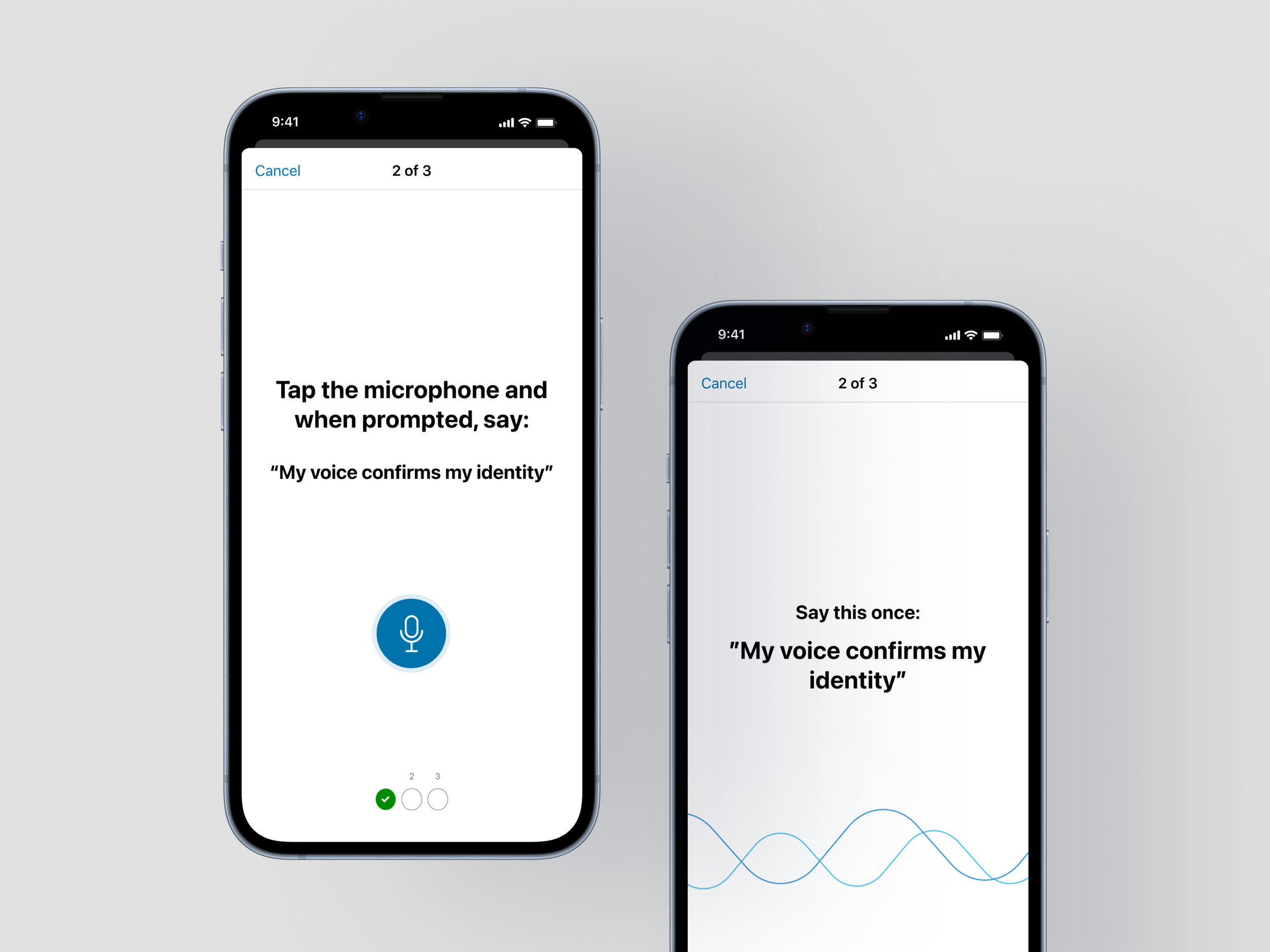
Restored checkboxes — because testing showed customers needed progress visibility throughout, not just at the end.
Kept instructions on a single screen with refined hierarchy as that was what helped customers prepare.
Kept the half sheet in the verify flow as it successfully introduced deliberate friction.
Prepare for delivery
I facilitated an engineering walkthrough to assess effort and prioritise delivery. A second round of lean research validated the refined flow. Task completion and comprehension was improved, scoring an average of 8/10 on ease of use by 6 participants.
Outcomes
We now have a final design that’s tested, evidence backed, estimated by engineering, target release proposed and ready to ship, for both iOS and Android versions.
This was one of the first applications of behavioural design in ANZ's design team, commended by leadership.
“Fantastic to see Tracy already applying tools from the Behavioural Design course in a very thorough way... made my day!”
— GM, Financial Wellbeing & Customer Research