Role: Visual designer
Responsibilities: UX/UI, information architecture, prototyping
Since PayPal’s acquisition of Xoom, PayPal users are able to send money abroad to more countries using Xoom. With Xoom, users can now send money using new methods, such as cash delivery and mobile top-up.
When sending money using Xoom, PayPal will set up a Xoom account for the user and link it to their PayPal account. So they can send money using Xoom and pay with PayPal.
For this integration, we need to create a new “Send Money Internationally” experience.
Objectives & Considerations
We identified the following as the areas we need to consider for the new experience.
Identifying Destination
We now need to know where is the user sending money to. So we can show them what Xoom and PayPal products they can use.
Communication of Fees and Exchange rate
Early user research tells us that when people send money to their friends and family overseas, they are most concerned with how much the fees are, how long it takes for the money to arrive and the exchange rate. We need to ensure we display them as prominently and early in the flow as possible.
Display of Xoom services on PayPal
At PayPal, money moves from one PayPal account to another; while on Xoom, the sender can select up to six different methods in two categories (e.g. cash delivery, mobile reload). The PayPal and the Xoom product teams need to align on how Xoom services are displayed on PayPal.
Delegation
I work with my UX Lead and our product manager on the Products page. We would collaborate with Xoom’s product team on the best way display their products on PayPal.
On parallel, the UX designer works on the main Send Money Internationally flow, we would constantly collaborate and reiterate together.
For this case study I will detail the process of Xoom Product Display, and a Drop-off Iteration.
Part 1 - Xoom Products Display
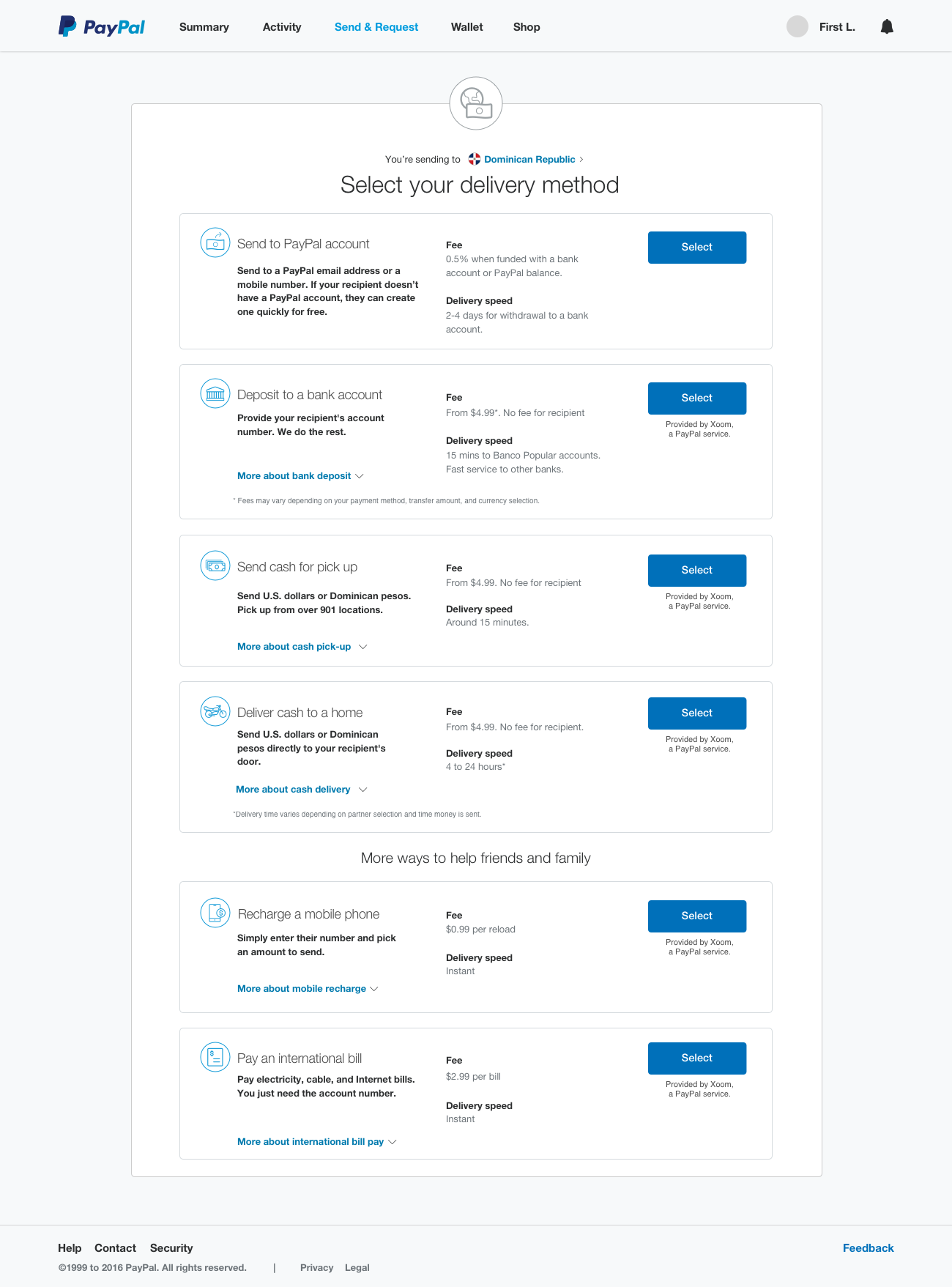
This is the page where we display what products are available to the user, after they have selected where to send money to.
Align visual styles
On the left is a home page on PayPal, the five send and request money entry points are laid side by side. On the right is how Xoom display their products, it’s displayed by country, and user can find out detailed information of each product on one page.
As we compare how the products are displayed on PayPal and Xoom, we need to find a way to balance the display of required information and experience.
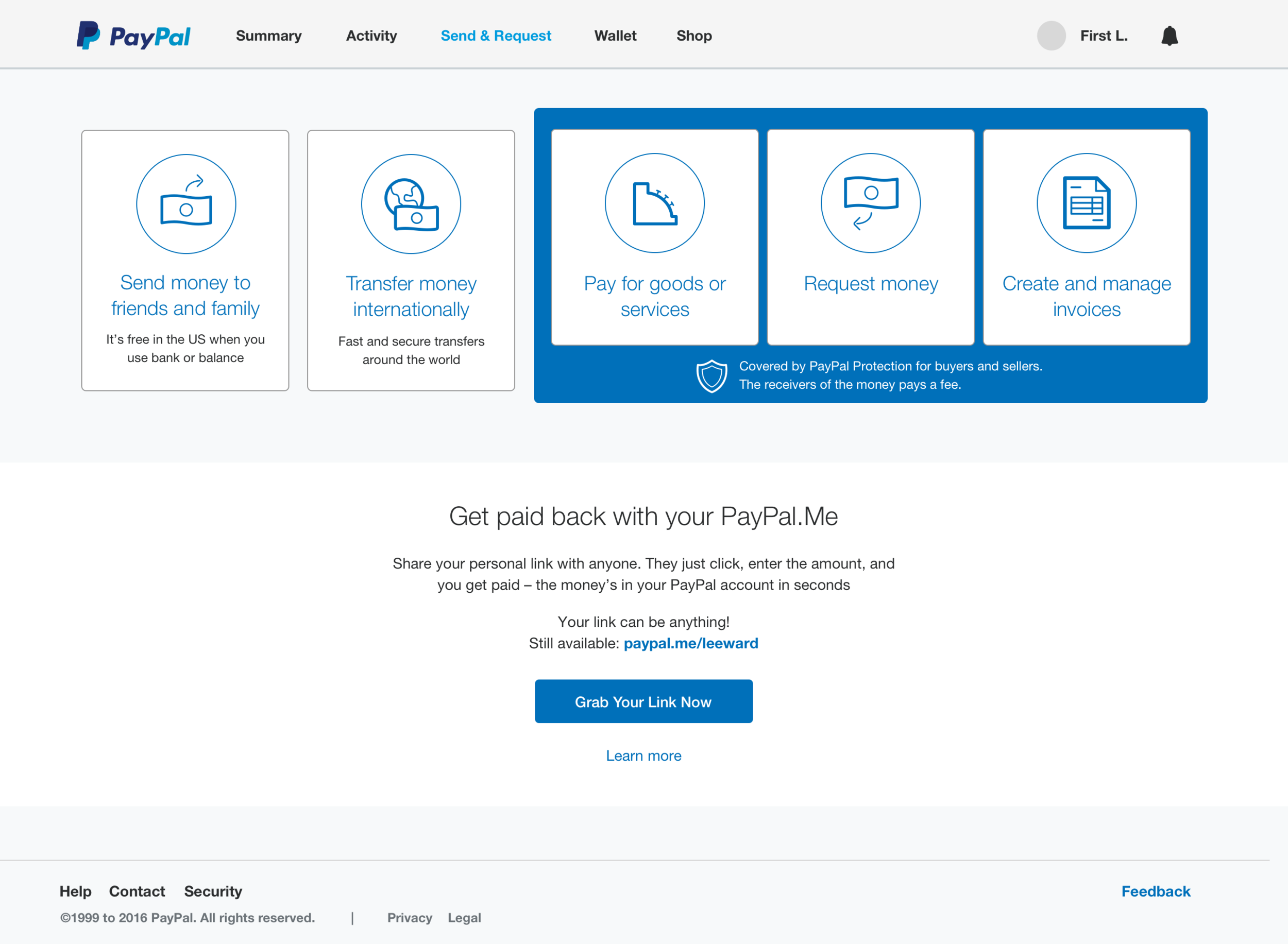
PayPal - one page, five product entry points
Layout
We know that the current five column layout won’t be able to accommodate Xoom’s products, especially they need to be split into 2 categories.
We explored a modular layout at first. But due to the amount of content that we need to display, we went for a stackable layout instead. It’s more interchangeable across mobile and desktop. Also that way not only we can display them in categories, it will also read better once we have the content fitted in.
How to display all the content
Xoom requested to display details on each product. There isn’t a system to display product in such detail on PayPal.
Additionally, if we try to display everything as soon as the user arrive on the page, there will involve a lot of scrolling. Not to mention the user would be overwhelmed by information on arrival, which isn’t the ideal experience.
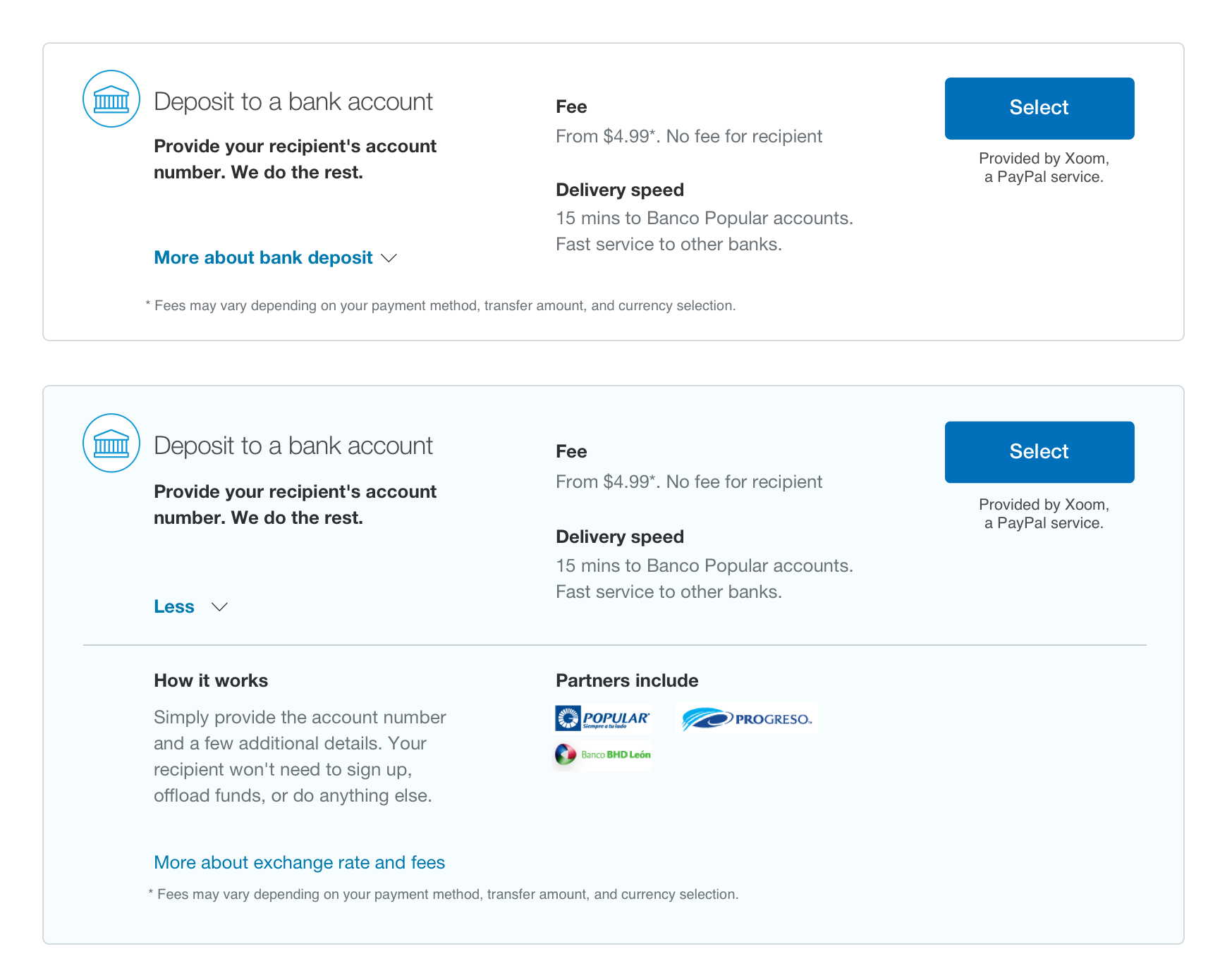
This is when I decided to start over. Instead of working out a layout to display all the information, first of all I evaluate the most important information for the user - fee and delivery speed. This allows me to determine primary and secondary information and their placements.
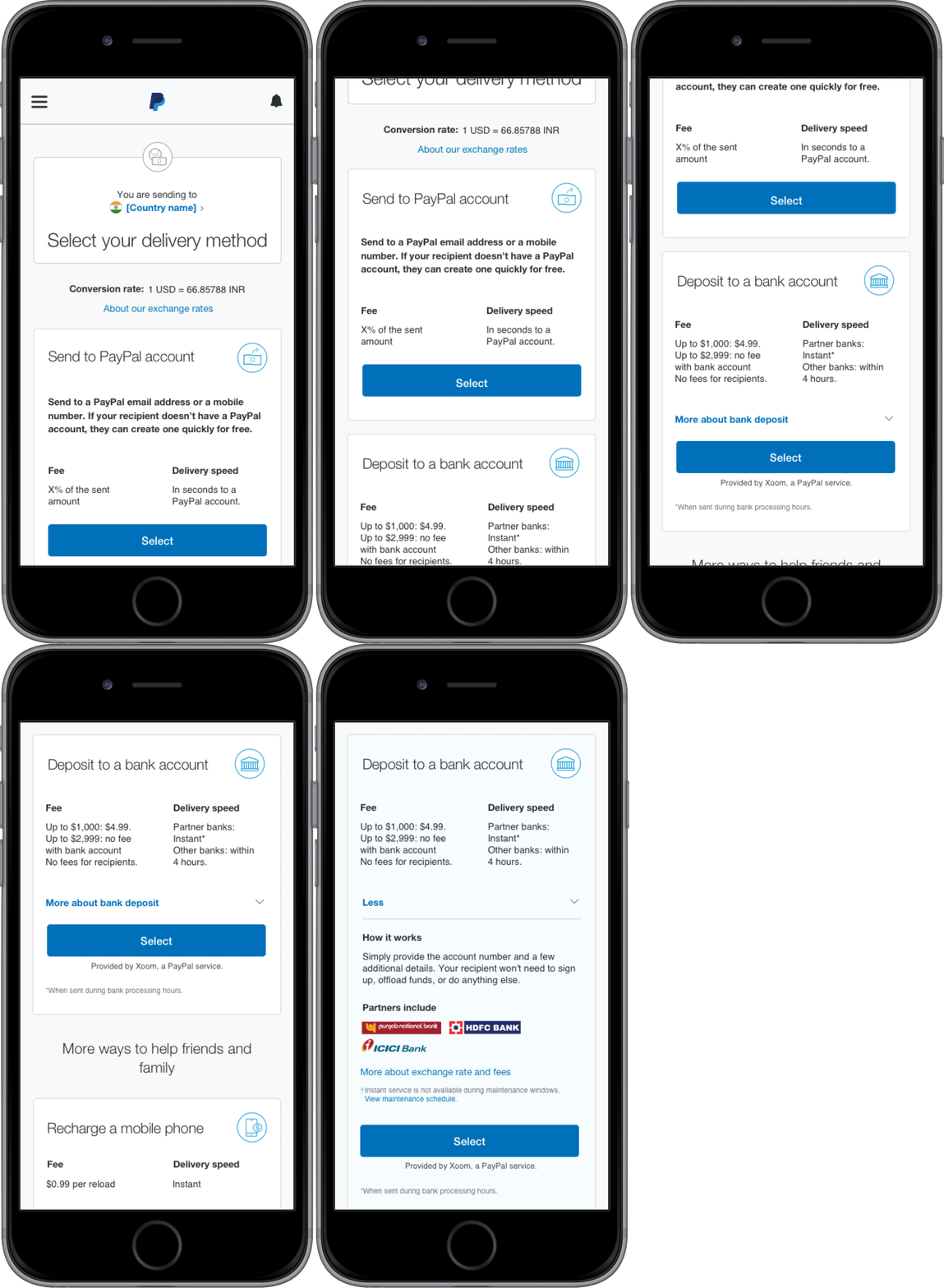
I then placed the content into the module as an expandable layout. The user will see the most crucial information at first, then they can click on the link to find out additional information as the module expands.
In order to further reduce the space that the content takes. I decided to run the content over two columns. I also took into consideration the direction the user would take in this information, and arranged accordingly.
Due to the amount of content to be displayed, we brought in button as a call-to-action. So this will provide a visual anchor in midst of this extra information.
The Solution
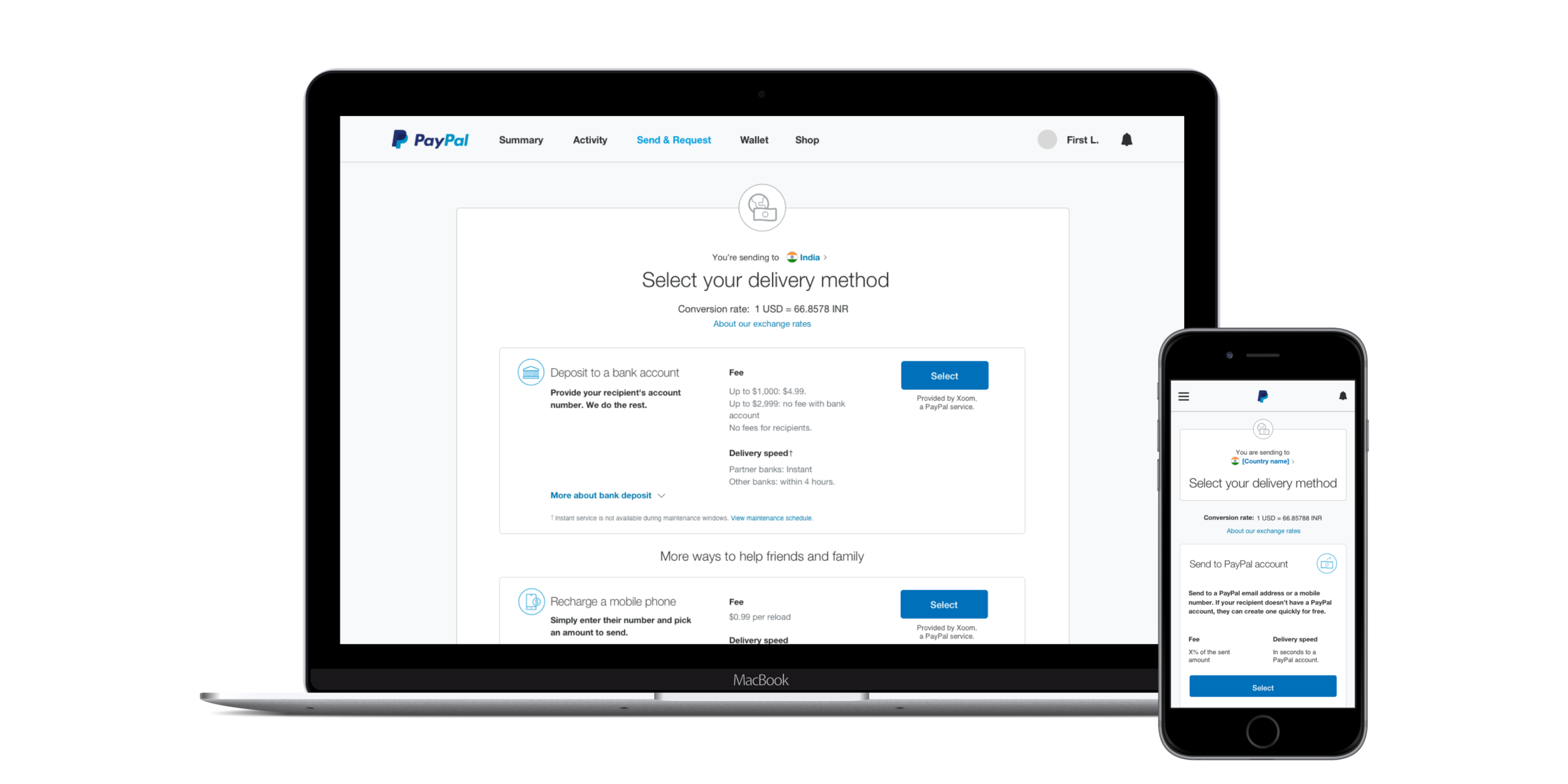
Finally, I have a stackable layout that allows the Xoom products to be categorised. While the UX writers from both PayPal and Xoom continue to work on further simplifying the content.
Part 2 - Drop-off Iteration
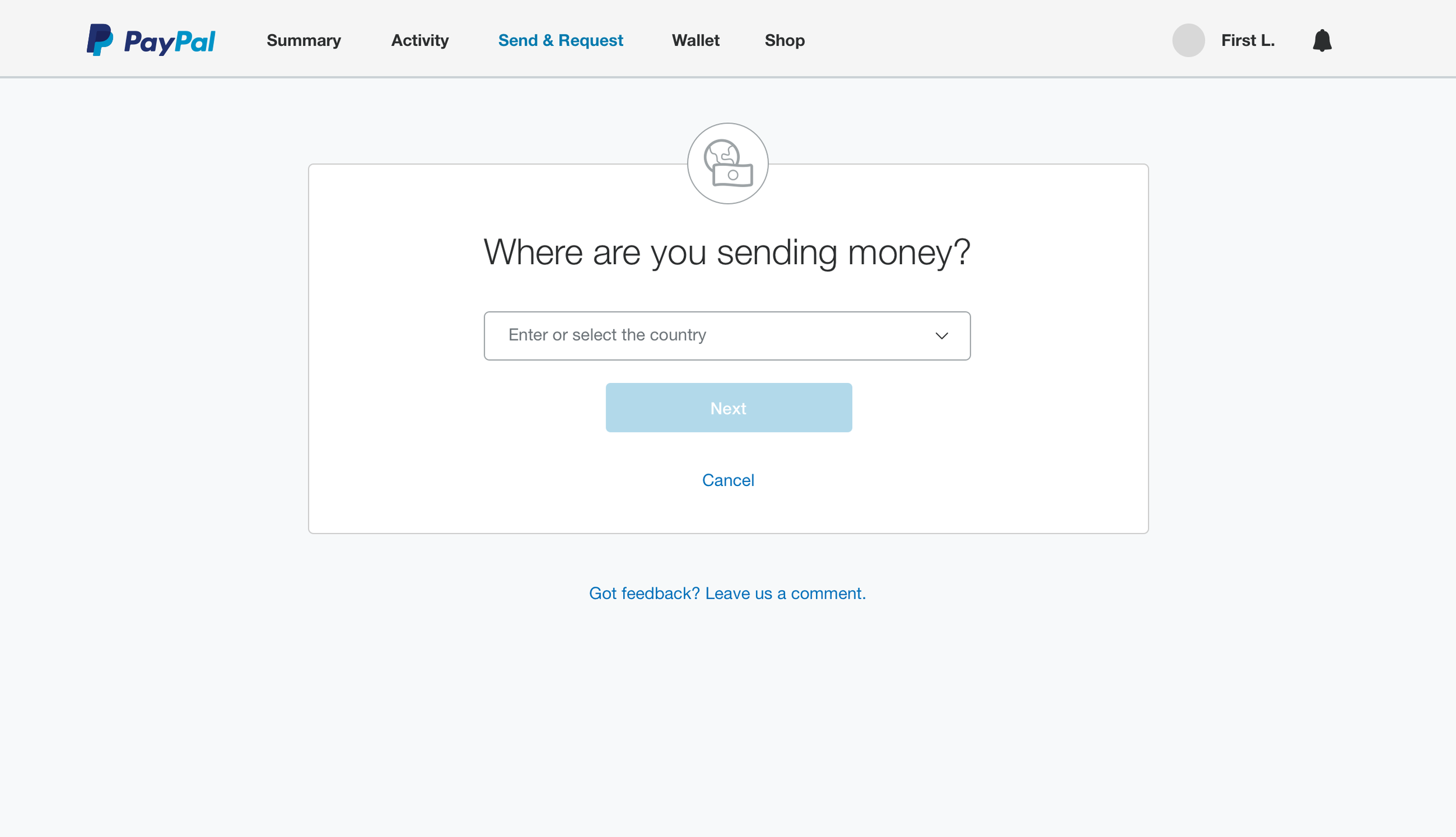
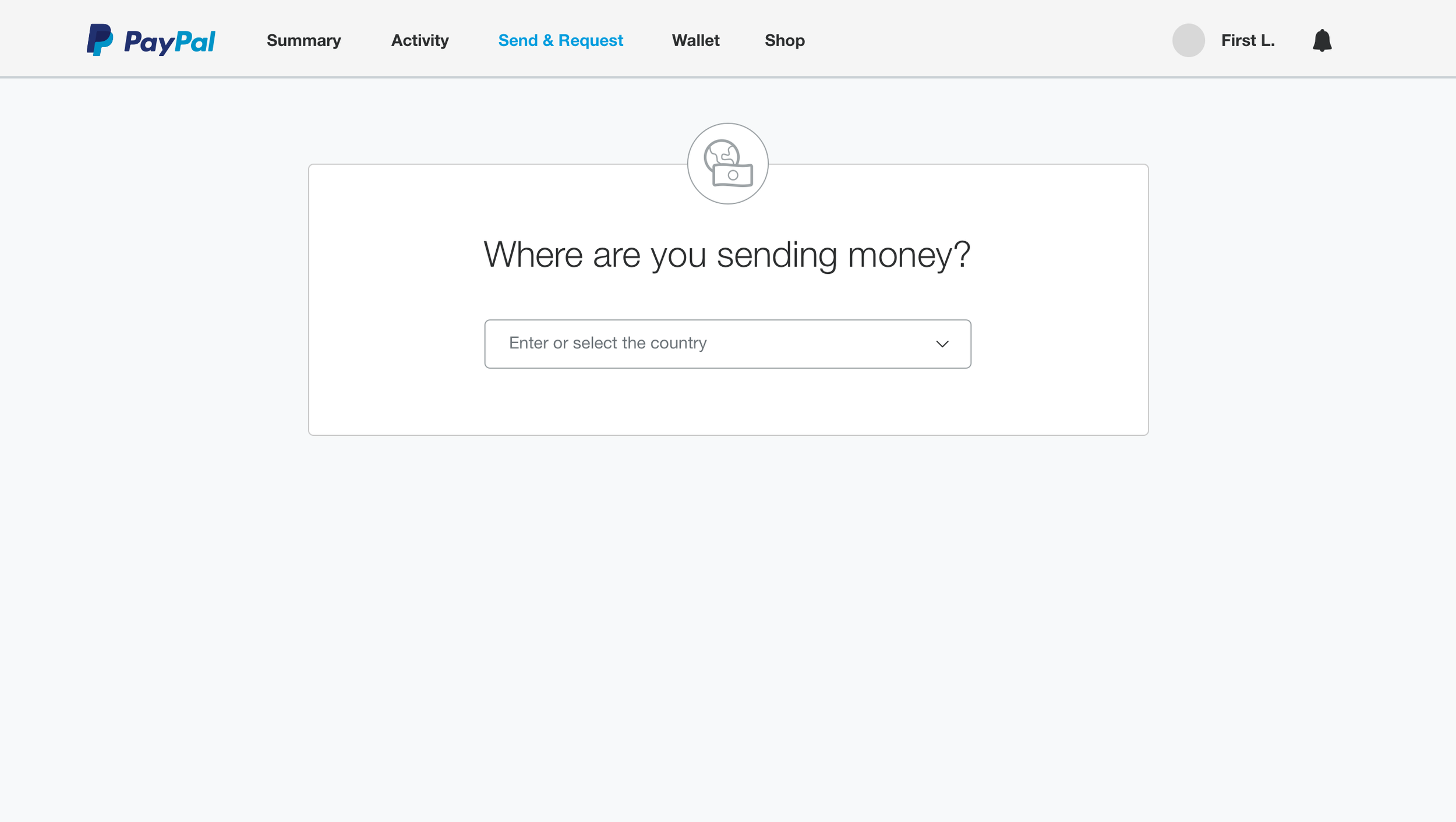
At the initial launch of the flow, despite it having been tested well in the lab with a small pool. Once it’s released live, we have detected a high amount of drop off, amounting 60% on desktop and 80% on mobile. And it’s all on one page - the country selector.
We had a link to the feedback form to ask users why they’re dropping off, we received a small amount of feedback that one user in particular had difficulty finding the country he wanted to send money to. As we need to act fast to resolve this, we wanted to test the following hypotheses alongside.
Hypotheses
Hypothesis 1 - Unfamiliarity with the flow
It's a possibility that the user is uneasy with the new flow, because unlike the existing flow where the user starts with entering the name of the recipient, this flow begins with asking the user where they are sending money to.
Hypothesis 2 - Missing CTA
It was the hypothesis I felt most strongly about. Even though such button behaviour exists on other pages, where it requires the user to interact the form elements for the CTA to appear. I believe that the missing visual anchor that a user would habitually look for could lead them feeling lost or believing that it's broken, ultimately dropping off the flow.
Testing Solutions
Based on the hypotheses we explored 2 variants.
Flow tracker
If the user is unfamiliar with the flow, we can add a flow tracker to show where the user is in the process.
The only concern with this is it could present globalisation issues. For a site as international as PayPal, we need to take into account that many parts of the site is translated into many languages, and some words will be longer in one language than the other. As much as we made the effort to condense each step down to one word. We could run out of horizontal space if the page is viewed in another language.
Recipient-first approach
We explored a "recipient-first" approach in order to maintain the familiarity as per the domestic flow. This means the user will select the recipient before selecting the country to send money to. This was then rejected due to engineering constraints.
The results
Based on analytics data, we see an increase in end-to-end completion rate and conversion rate. The drop off on the country select page has decreased. We kept the feedback link so we can continue to monitor the page on further improvements we can make to the flow.